

A number or an account
A WhatsApp Business number, a professional Instagram account, or both. They connect from inside Parlario in a few clicks.
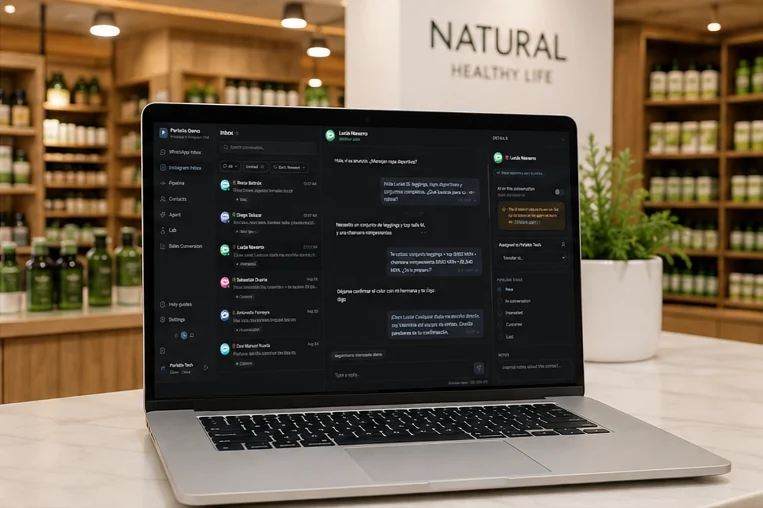
When someone taps your Click to WhatsApp or Click to Instagram ad, they land in a real conversation. Parlario answers in seconds, qualifies the lead, remembers which ad it came from, and — when the sale closes — tells Meta. Your ad report starts showing sales instead of chats.
Cancel anytime · payments processed by Stripe
Most tools take you halfway: they turn the click into a chat and the trail ends there. The step that closes the circle is the fifth one.
From the ad tap to the sale reported back to Meta
A chat opens, not a landing page.
Meta's hidden ad reference travels with it.
Answers, qualifies and books, in seconds.
With the campaign it came from attached.
Your ROAS counts sales, not chats.
The loop closes here
A Click to WhatsApp or Click to Instagram ad opens the chat directly. No slow landing page, no form to abandon, no email nobody answers: the person is already writing to you.
And something invisible happens at that moment: Meta attaches a hidden reference to that conversation recording which ad started it. Parlario keeps it. That is what makes the last step of the loop possible.
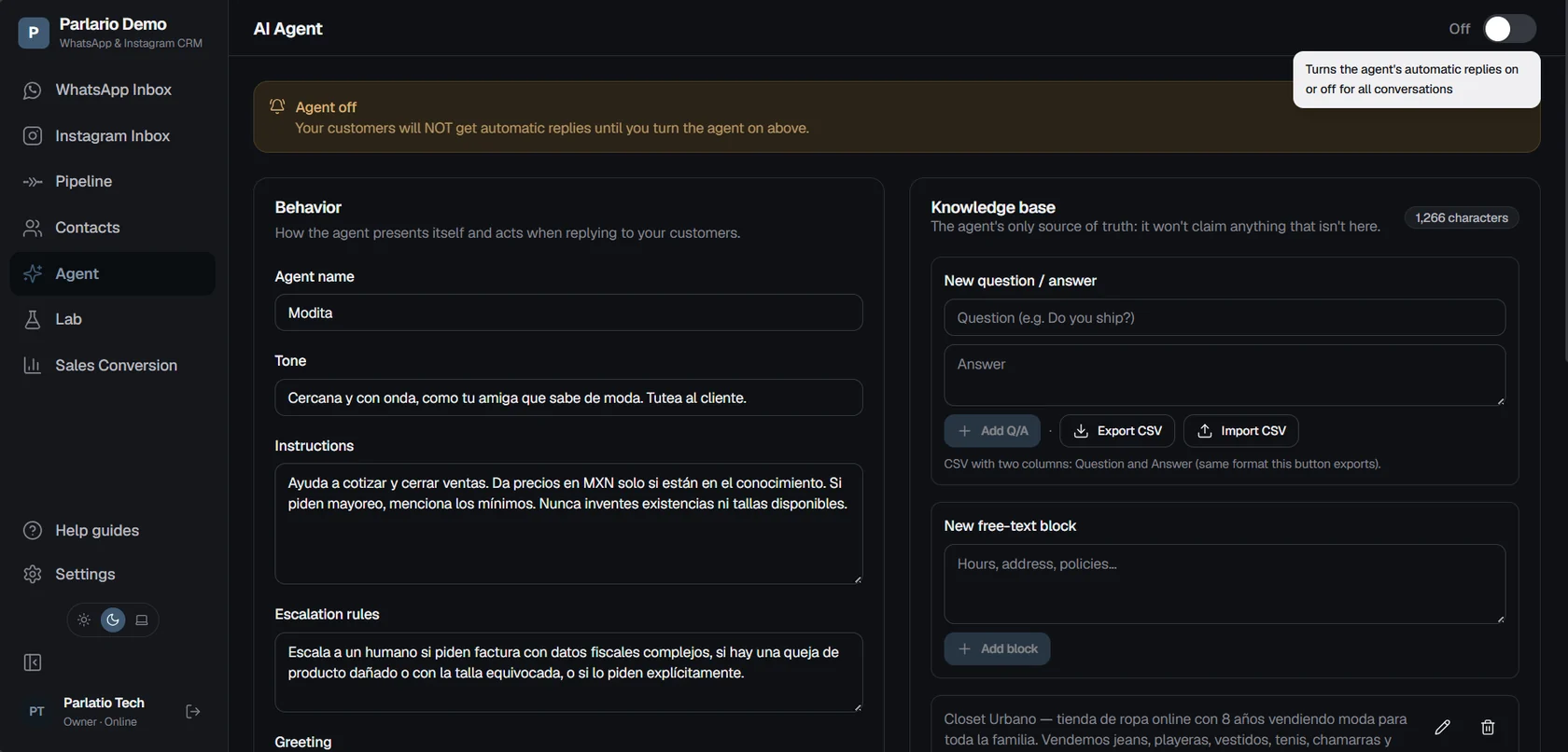
Agent setup: behaviour, knowledge base and escalation rules.
The AI Agent replies using what your business knows — your knowledge base, your prices, your hours — and nothing else. It qualifies, books appointments in your Google Calendar, and hands the conversation to a person when it should.
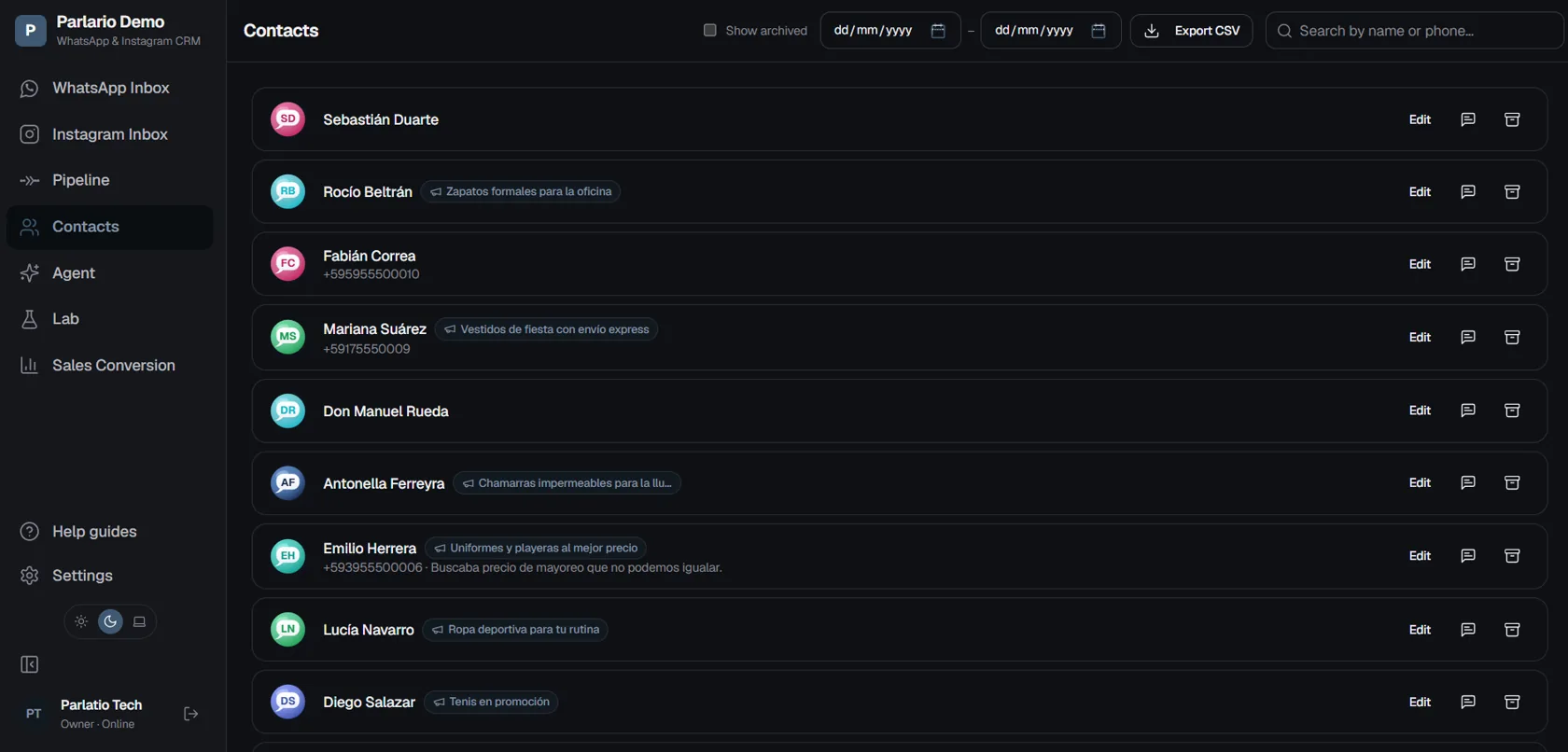
Campaign attribution: which ad each contact came from.
Each person's card shows the campaign they came from, and the full history if they came back through a different ad later. No more “I don't know which of my five ads is working”.

Pipeline: the contacts from your ads, by stage.
Everyone who writes to you becomes a lead with a stage. Drag the card as the sale moves — or let the agent move it — and keep what is about to close in plain sight.
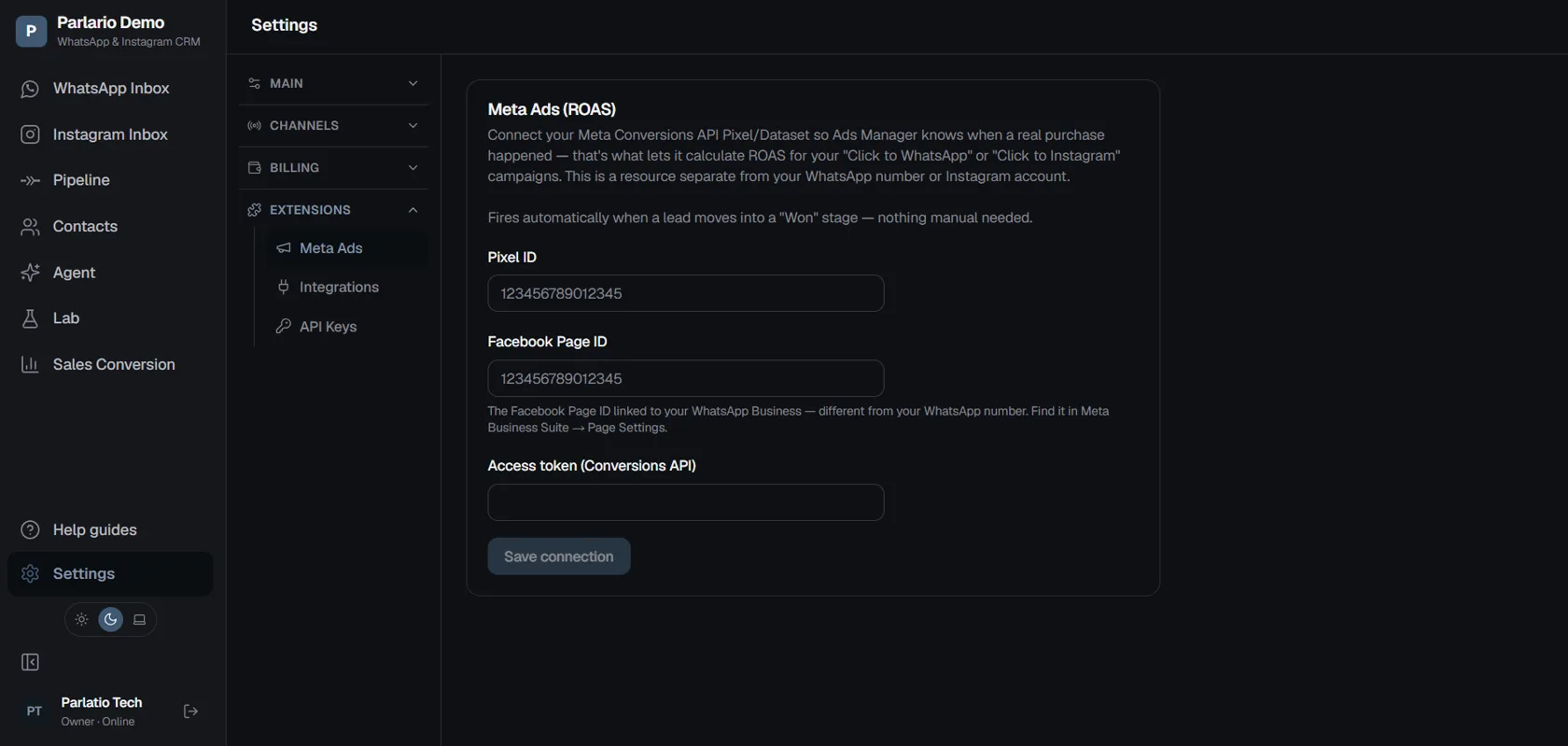
Reporting conversions to Meta to measure ROAS.
When you move a lead into a sale stage, Parlario reports it to Meta. Only then can your Ads Manager show the real return on what you spend, instead of counting conversations.
Only customers who arrived by tapping an ad get reported — which is right, because ROAS should measure what the advertising actually produced.
A WhatsApp Business number, a professional Instagram account, or both. They connect from inside Parlario in a few clicks.
Created in your Ads Manager as Click to WhatsApp or Click to Instagram. The ad is yours and lives in Meta; Parlario receives the conversation.
Only if you want the sales report: a Pixel (Dataset) and your page ID. The guides walk through it step by step.
If you already have campaigns running, the loop comes together in an afternoon. If you don't yet, we'll tell you where to start.